
PayGo SaaS4.5.3 - Download
You'll be able to download in few seconds.
Publisher Description
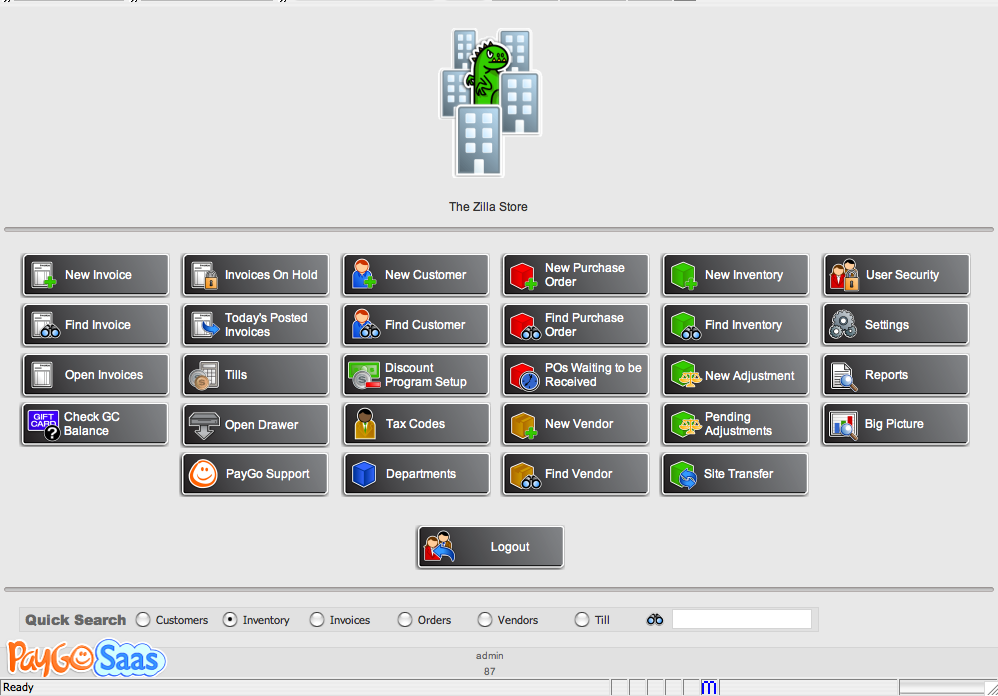
PayGo SaaS is a cutting edge point of sale & retail management system for independent retailers. It harnesses enterprise-level technology and makes it simple for the retailer on their way to massive success.
Most importantly, it changes the way you pay for software. You pay as you go, which is easier on your cash flow. Now, buying a powerful retail system is no longer a huge capital expense, it's an small, affordable operational one. And the risk goes away. If PayGo SaaS doesn't work for you, take your data elsewhere.
The Big Picture - Use PayGo Saas's Big Picture to see up to the minute wait ... up to the second information on how your business is doing. See today's sales, what's selling, your margins, what is on order, how things are going at the department level and more.
Ring Sales - That's what Point of Sale is for right? Well then PayGo Saas does that. It's super easy to search for inventory. You certainly can use a scanner, but we also give you other ways. Also, you can add customers quickly. You can take credit cards and PayGo will also handle gift cards (centralized so any one can be used at any store.)
Track Inventory - A POS solution needs to track inventory. PayGo Saas does that. Easy to add, easy to track. Oh, and if you add it at the Denver store, the item is available at all the other stores as fast as you blink.
About PayGo SaaS
This Vertical Market Apps program is available in English. It was last updated on 29 September, 2026. PayGo SaaS is compatible with the following operating systems: Linux, Mac, Other, Windows.
The company that develops PayGo SaaS is Christian James, Inc.. The latest version released by its developer is 4.5.3.
The download we have available for PayGo SaaS has a file size of N/A. Just click the green Download button above to start the downloading process. The program is listed on our website since 2008-04-16 and was downloaded 0 times. We have already checked if the download link is safe, however for your own protection we recommend that you scan the downloaded software with your antivirus. Your antivirus may detect the PayGo SaaS as malware if the download link is broken.
How to install PayGo SaaS on your Windows device:
- Click on the Download button on our website. This will start the download from the website of the developer.
- Once the PayGo SaaS is downloaded click on it to start the setup process (assuming you are on a desktop computer).
- When the installation is finished you should be able to see and run the program.
Program Details
System requirements
Download information
Pricing
Version History
version 4.5.3
posted on 2008-04-16
Disclaimer
External Download
We do not host PayGo SaaS on our servers. We did not scan it for viruses, adware, spyware or other type of malware. This app is hosted by the software publisher and passed their terms and conditions to be listed there. We recommend caution when installing it.
The external download link for PayGo SaaS is provided to you by apps112.com without any warranties, representations or guarantees of any kind, so access it at your own risk.
If you have questions regarding this particular app contact the publisher directly. For questions about the functionalities of apps112.com contact us.
